Every tree on the property, pinned on the map with its full history.
Drop a pin for each tree with species, DBH, height, condition and photos. Every estimate, pruning visit, treatment and risk report stays attached to that tree.
Tree inventory pins, photos and portal sharing are in every plan. Per-tree multi-year health history timelines are in Established.

How it works
How tree inventory works in the field and office
- 1
Drop a pin on the property map
Tap the aerial map while walking the lot to place a numbered pin on the exact stem location, even when offline.
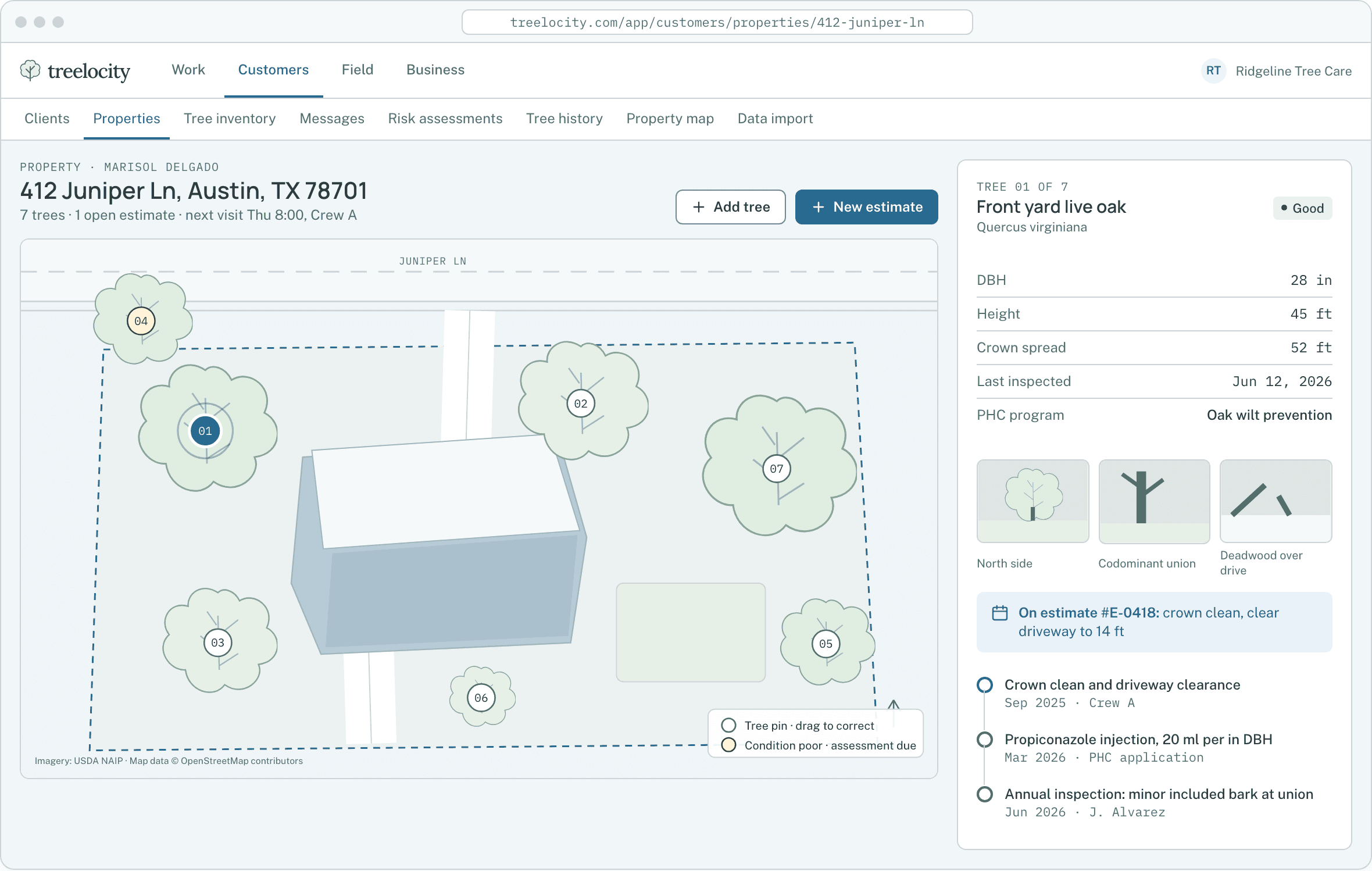
Numbered tree pins on the property map.Example data - 2
Log species, DBH, height, condition and photos
Record structured arborist details once so you never have to describe "the big oak by the driveway" again.
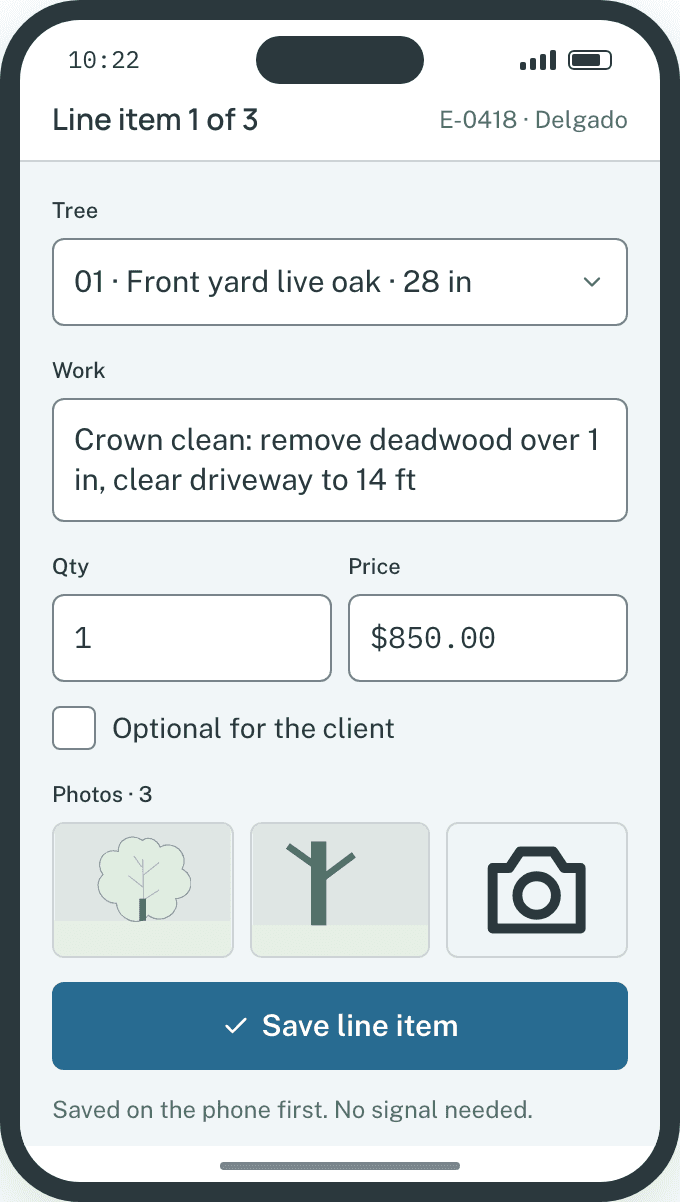
Structured species, DBH and condition fields captured on site.Example data - 3
Attach estimates, treatments and risk assessments
Select one or more trees from the inventory to build an estimate, schedule a plant health care application or file a risk report.
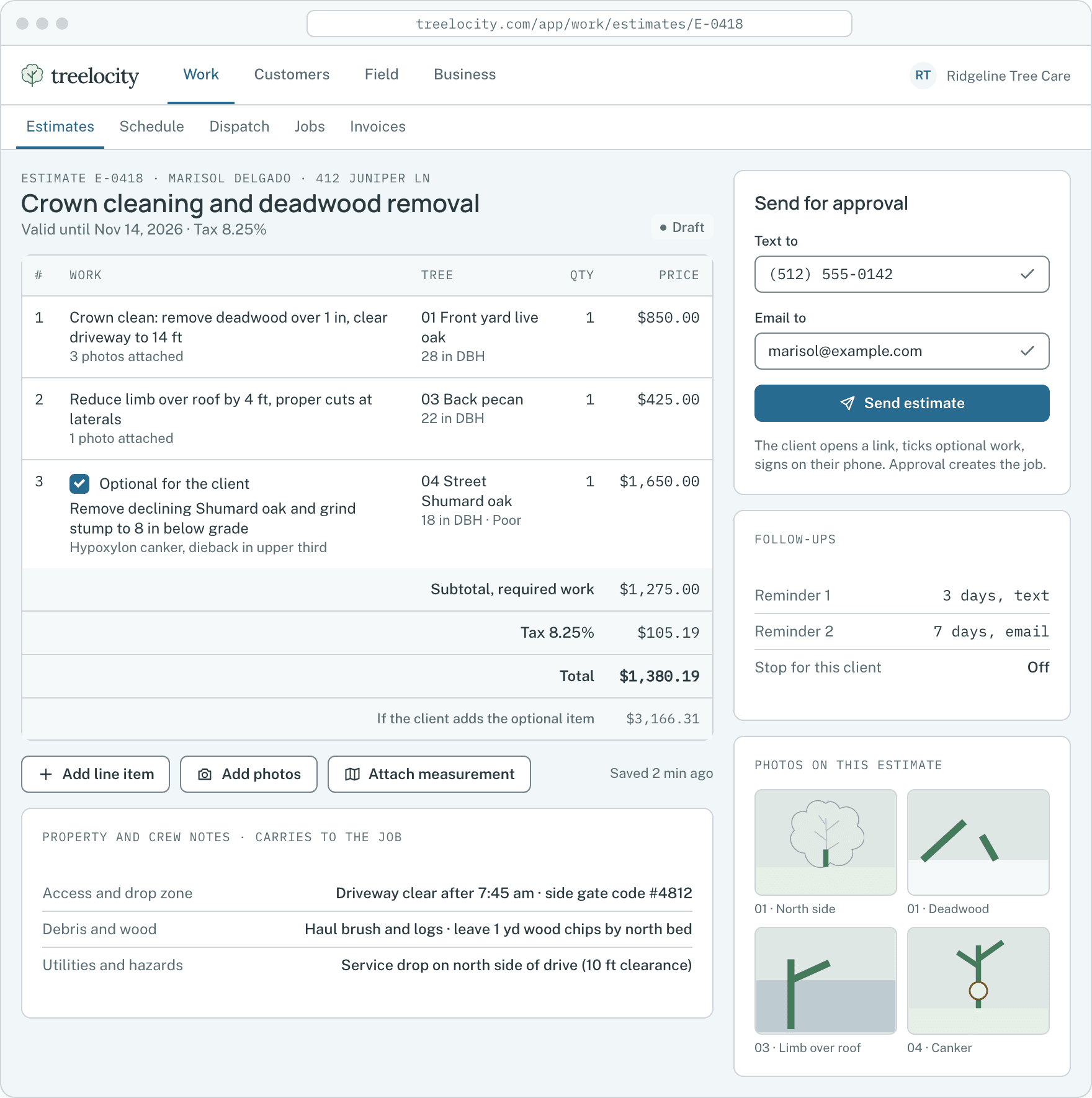
Estimate line items linked to inventory trees.Example data - 4
Share the living inventory on the customer portal
Property owners and HOA managers see their mapped trees, photos and completed work on their portal link.
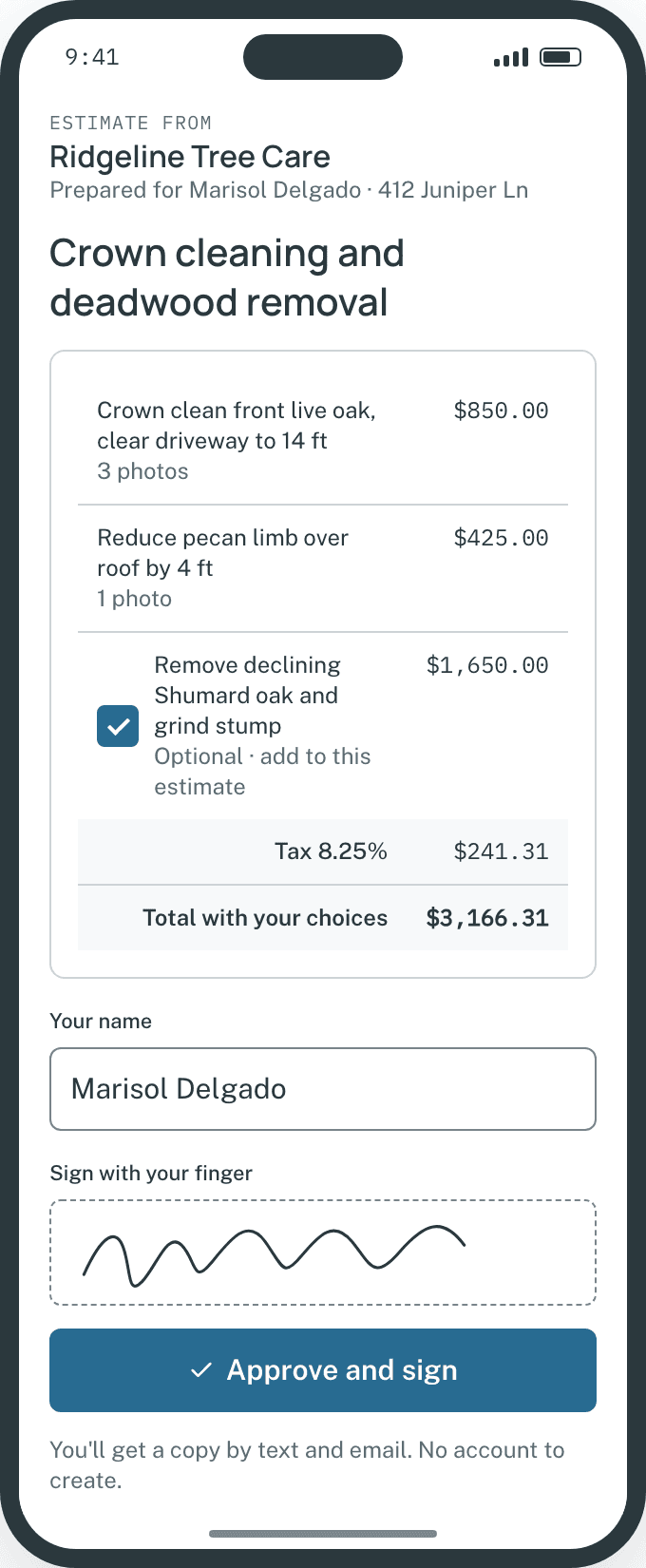
Client portal view on a phone.Example data


What you get
Why a per-tree record pays off
Turn one-off removals into repeat pruning and plant health care relationships.
Pin-accurate clarity for crews
Climbers open the visit and see the exact pinned tree and photo—no guessing which maple is being pruned.
SoloOffline field capture
Add trees, update DBH and attach photos in back yards with no cell reception.
SoloComplete per-tree timeline
Review every past inspection, PHC application, risk observation and pruning job on one chronological timeline.
Established
Common questions
Tree inventory questions
How this workflow runs day to day in the office and on the truck.
Can a single client have multiple properties with separate tree inventories?
Yes. Commercial clients, estates and HOAs can have any number of properties, each with its own geocoded map and numbered tree inventory.
Are internal arborist notes visible to the customer on the portal?
No. Internal crew and office notes stay private to your team; only shared tree details and customer documents appear on the portal.
Can we export a property’s tree inventory to a spreadsheet?
Yes. You can export any property’s tree list—including tree numbers, species, DBH, height, condition and last work date—to CSV for HOA boards or municipal submittals.
What happens if a phone’s GPS pin is slightly off under heavy canopy?
You or your crew can drag any tree pin to its exact position on the aerial map at any time.
Get started
Map your first property in two minutes.
Start a 14-day trial, geocode an address and drop your first tree pins.