One link for estimates, invoices, payments and trees—no password needed.
Clients tap the link in your text or email to choose optional work, sign estimates, pay invoices by card or ACH, and browse their mapped tree inventory.
The customer portal is included in every plan, starting with Solo.
How it works
How the portal works for your customer
- 1
Send a direct link by text or email
Every estimate, invoice or risk report sends a secure, expiring portal link straight to the client.
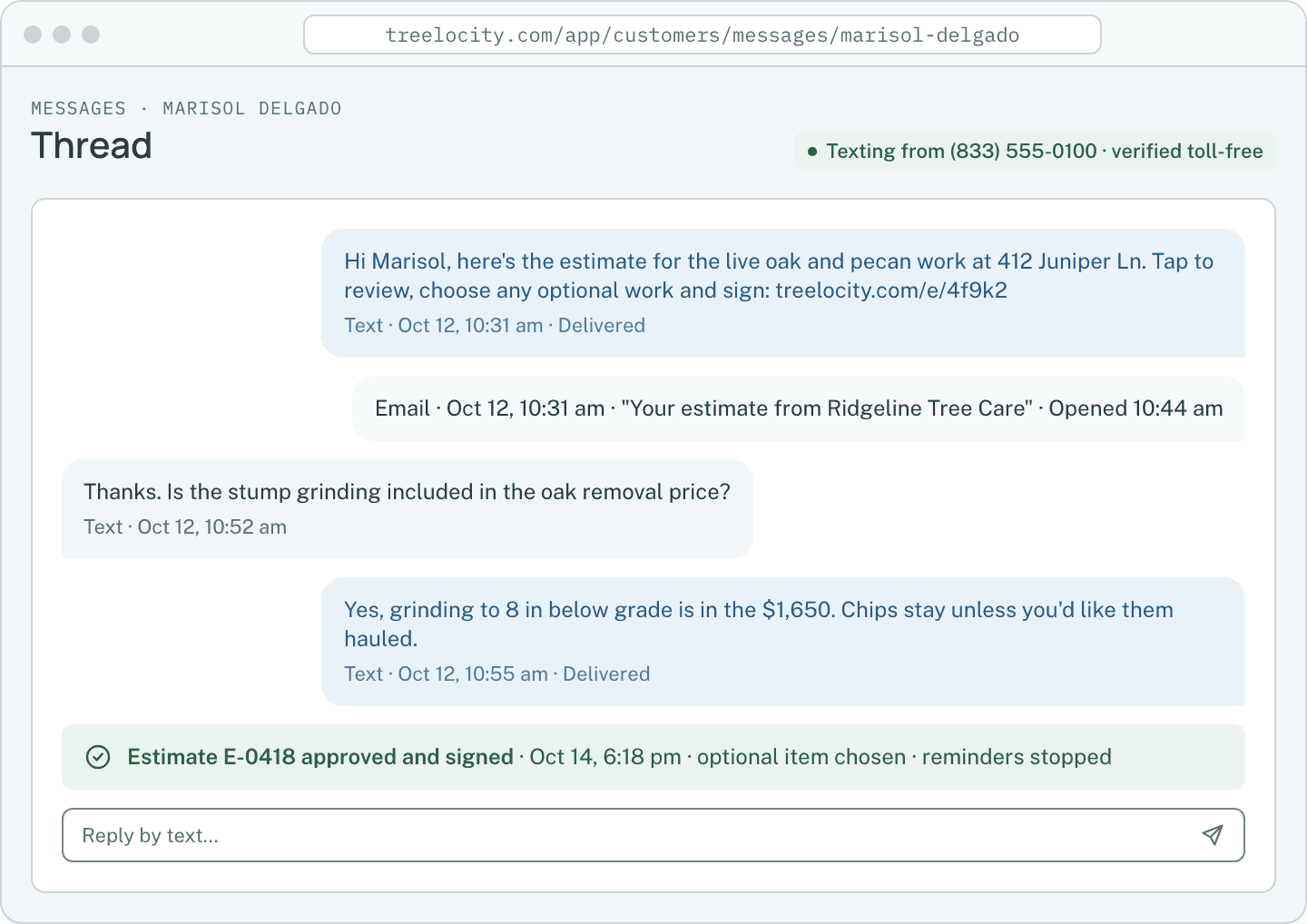
Sending the portal link on the client thread.Example data - 2
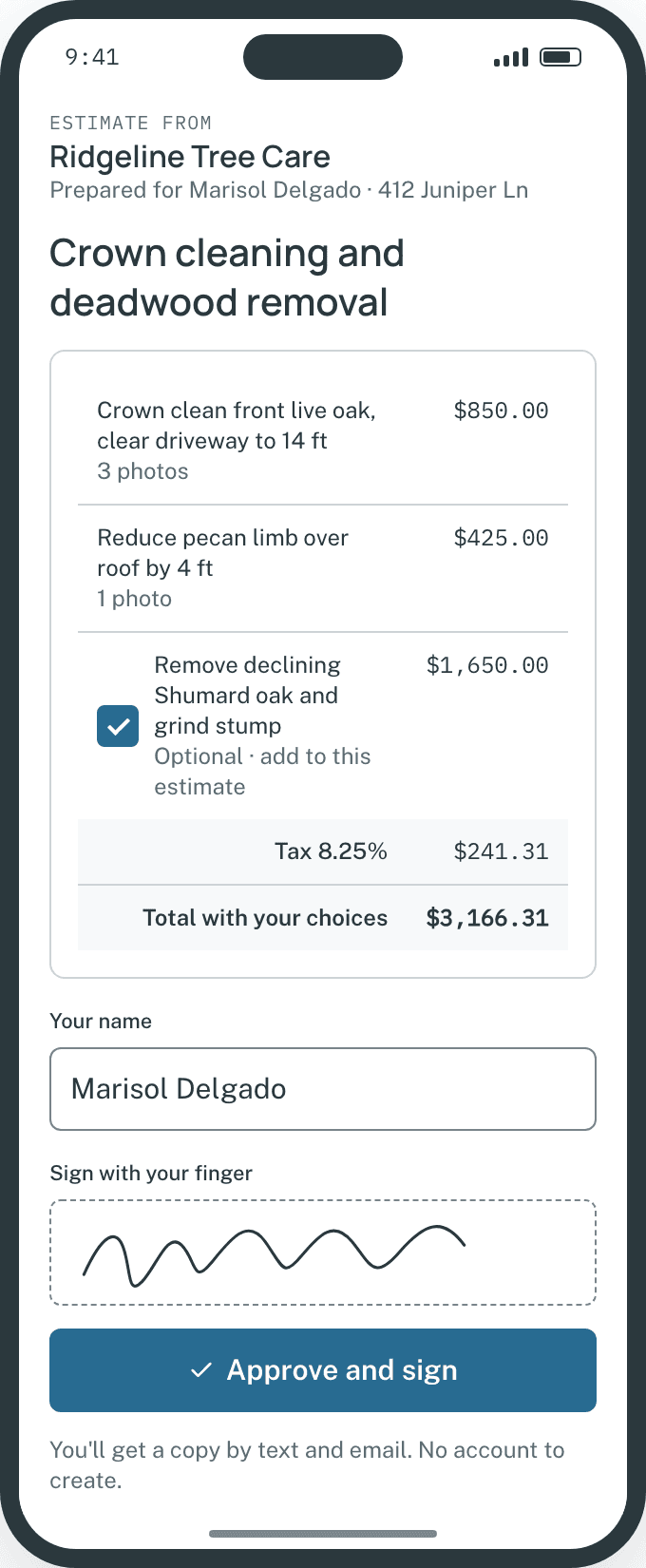
Approve estimates and toggle optional work
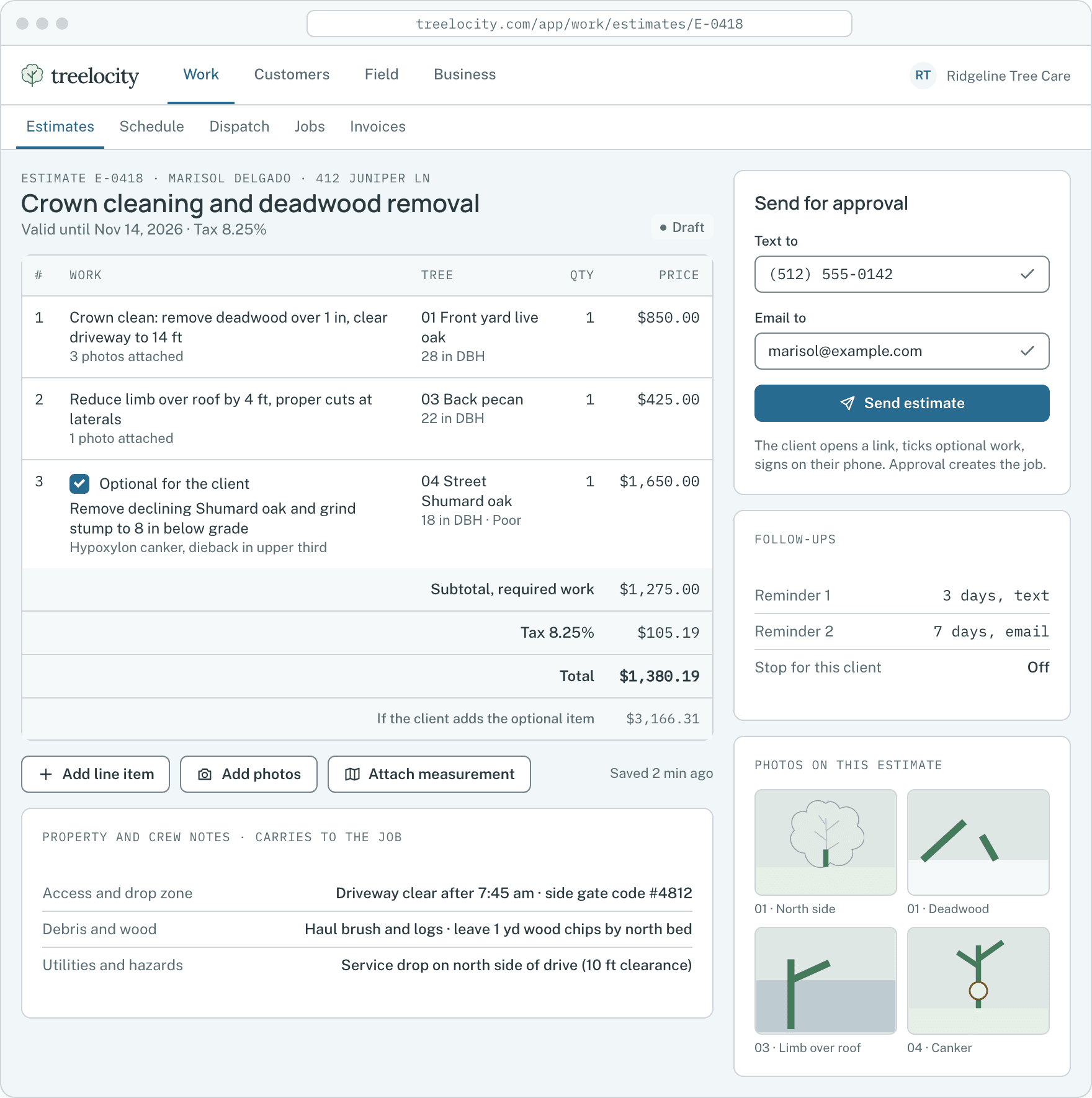
The client checks or unchecks optional items, watches the total update live, signs with a finger and approves.
Selecting optional line items with live total calculation.Example data - 3
Pay invoices online by card or bank transfer
Completed work shows as an invoice on the same portal, payable in seconds by card or $5-capped ACH.
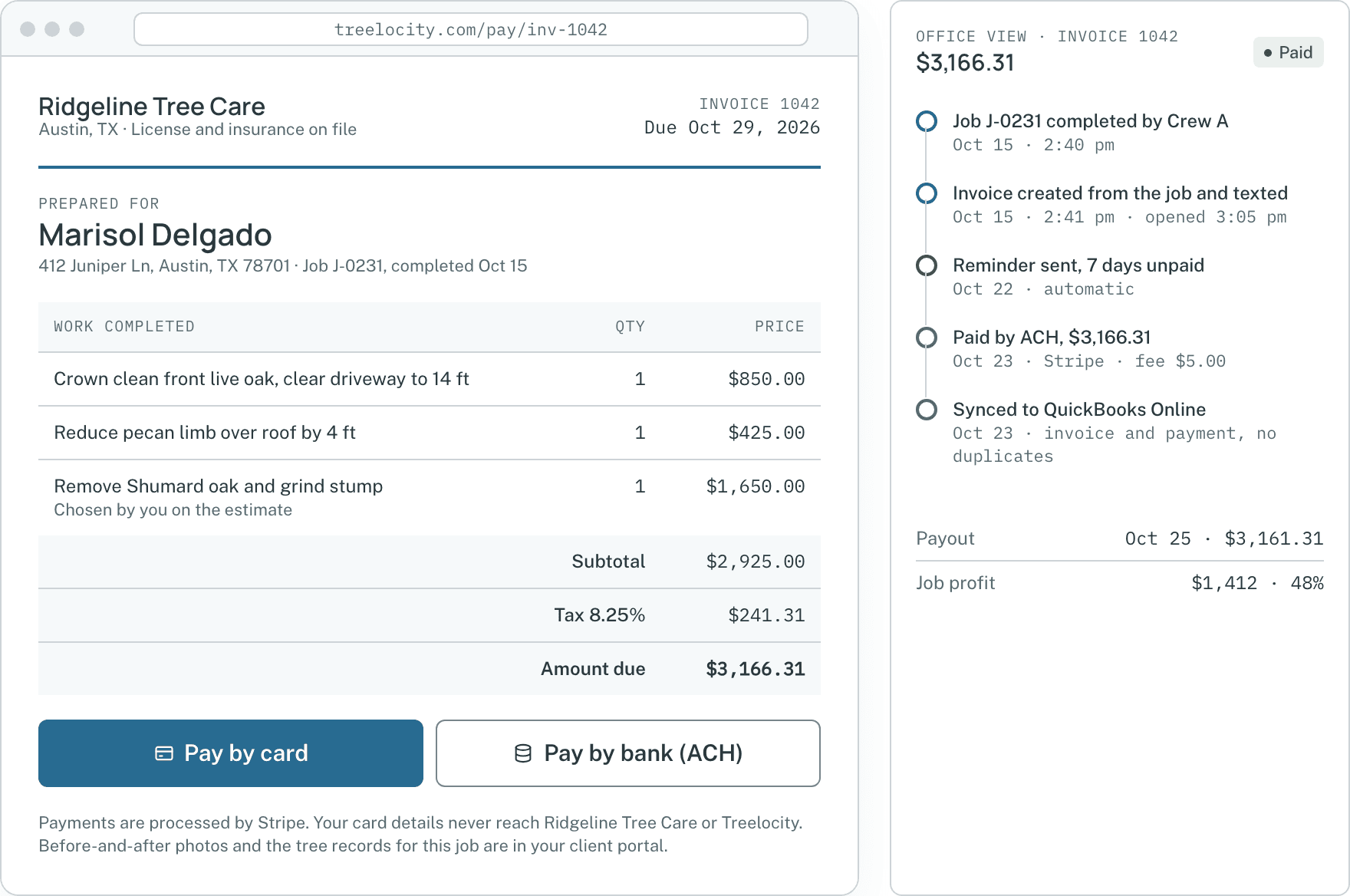
Online invoice and payment receipt.Example data - 4
Review mapped trees and shared reports
Property owners see their pinned trees, shared photos and PDF reports while internal crew notes stay hidden.
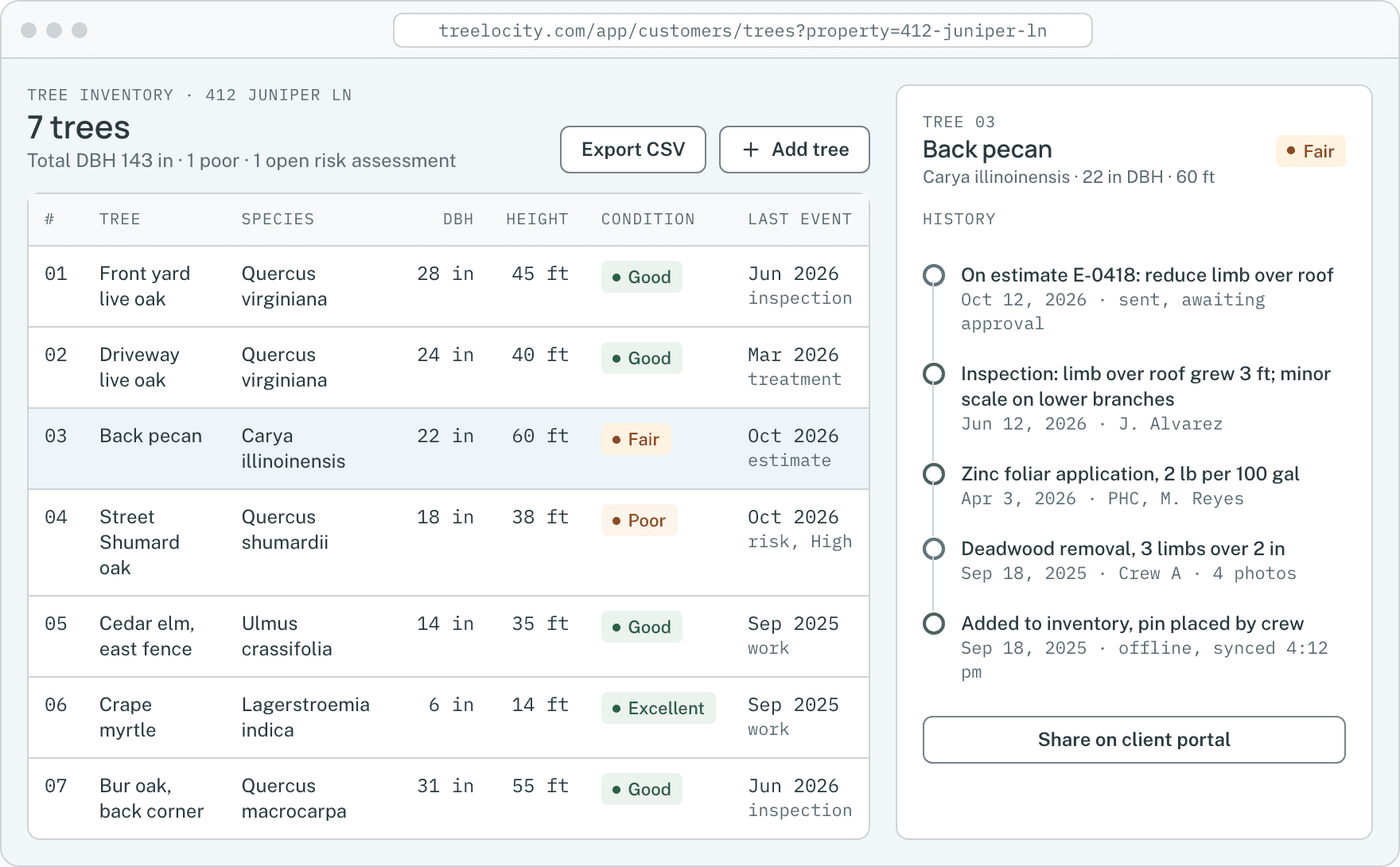
Mapped tree details shared on the portal.Example data


What you get
Why clients actually use this portal
Zero account creation friction and strict privacy for your internal notes.
No username or password to forget
Direct estimate and invoice links open on the client’s phone in one tap.
SoloInternal notes and private photos excluded
Only customer-facing descriptions and photos you explicitly mark to share ever appear in the portal.
SoloAutomatic quote expiration dates
Expired estimates respect your company’s time zone and prompt the client to request an updated quote.
Solo
Common questions
Customer portal questions
How this workflow runs day to day in the office and on the truck.
Can a customer see our internal crew notes or hourly costs from their portal link?
Never. The customer portal only displays customer-facing line items and shared photos—internal crew notes, unshared field photos and labor or equipment costs are never exposed.
What happens when an estimate link expires?
After the expiration date (in your company’s time zone), the portal shows that the quote has expired so old prices cannot be approved months later.
Does the homeowner need to download an app or create a password?
No. The portal opens in the browser on any phone, tablet or computer directly from the link in your text message or email.
Can clients download PDF copies of their estimates, invoices and risk reports?
Yes. Every document shared in the customer portal includes a one-tap PDF download formatted with your company logo and contact details.
Get started
Send a portal link to your own phone.
Start a 14-day trial and see how fast a homeowner can approve and pay.