Send the invoice the moment the chipper is hooked up.
Turn a completed job into an invoice with one click, text or email the payment link, and let the client pay by card or bank transfer from their phone.
Invoicing, online card and ACH payments, and QuickBooks sync are in every plan. Automated overdue follow-ups are in Crew and above.

How it works
From finished job to money in the bank
- 1
Generate the invoice from the finished job
No retyping line items. The invoice pulls the agreed scope, approved optional items and exact tax rate directly from the job.
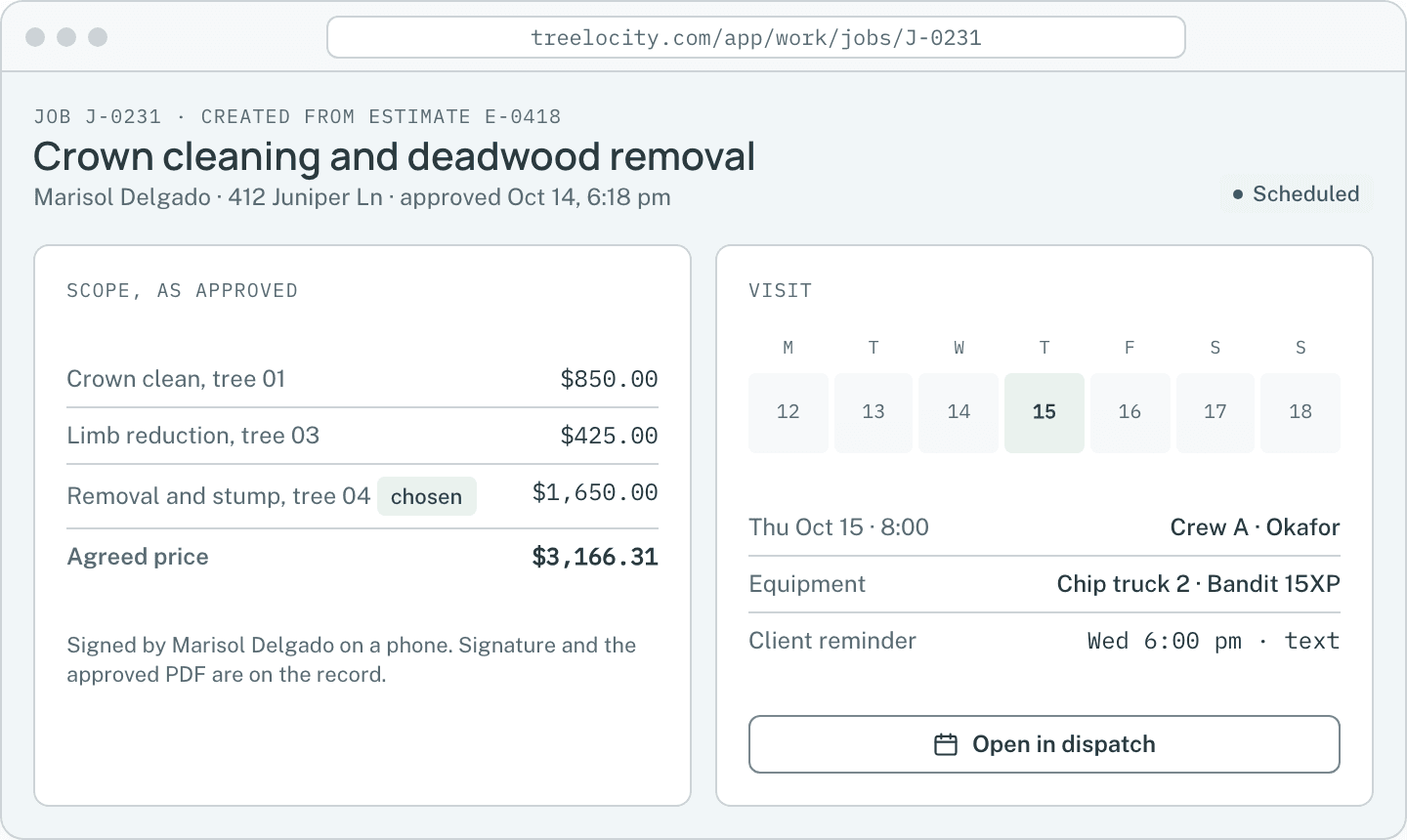
The completed job record.Example data - 2
Send the payment link by text or email
The client gets a clean message with the branded PDF and a direct link to view and pay online.
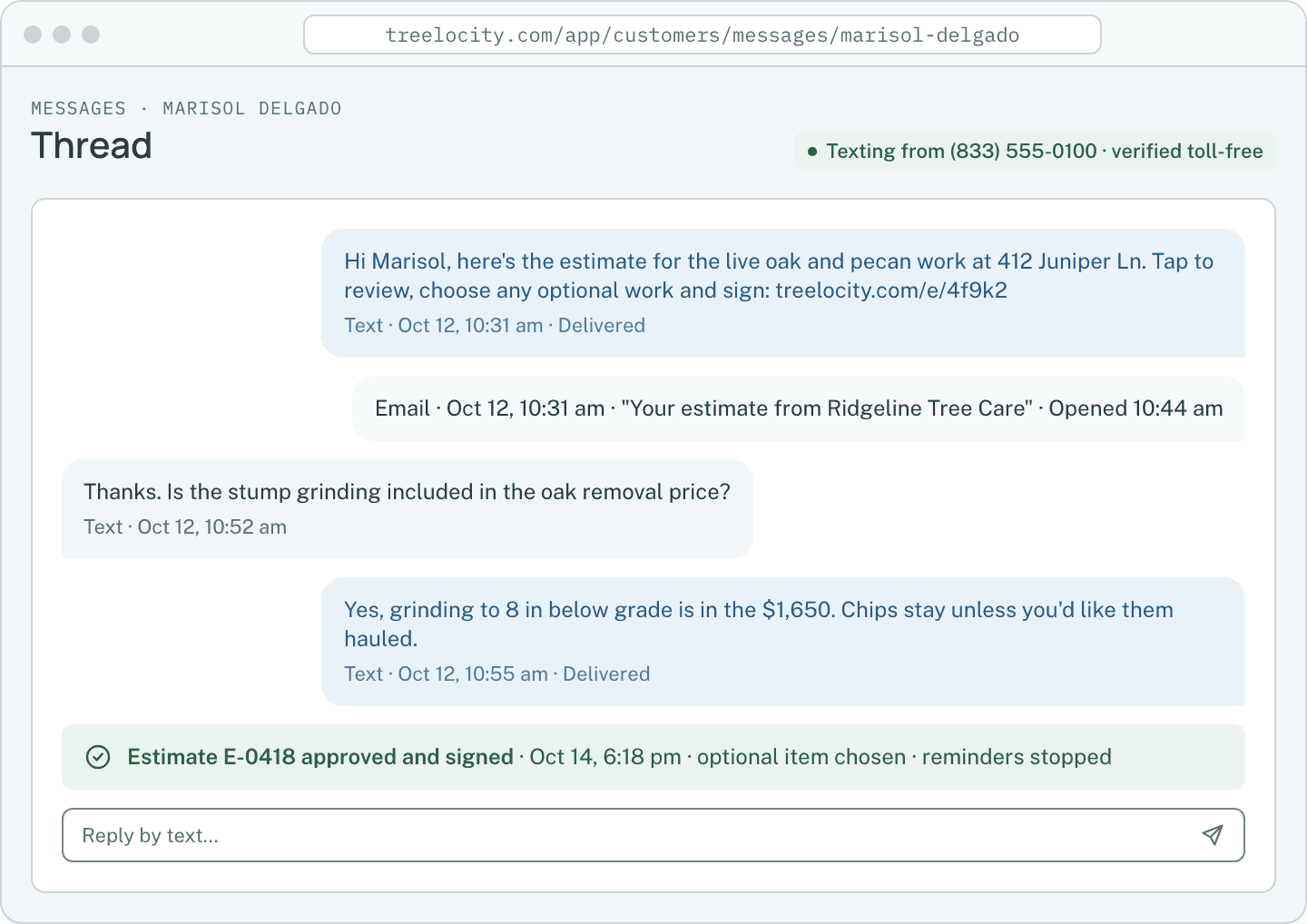
Invoice sent on the client thread.Example data - 3
Client pays by card or ACH bank transfer
Clients pay from their phone with no login required. ACH bank transfers cap the processing fee at $5.
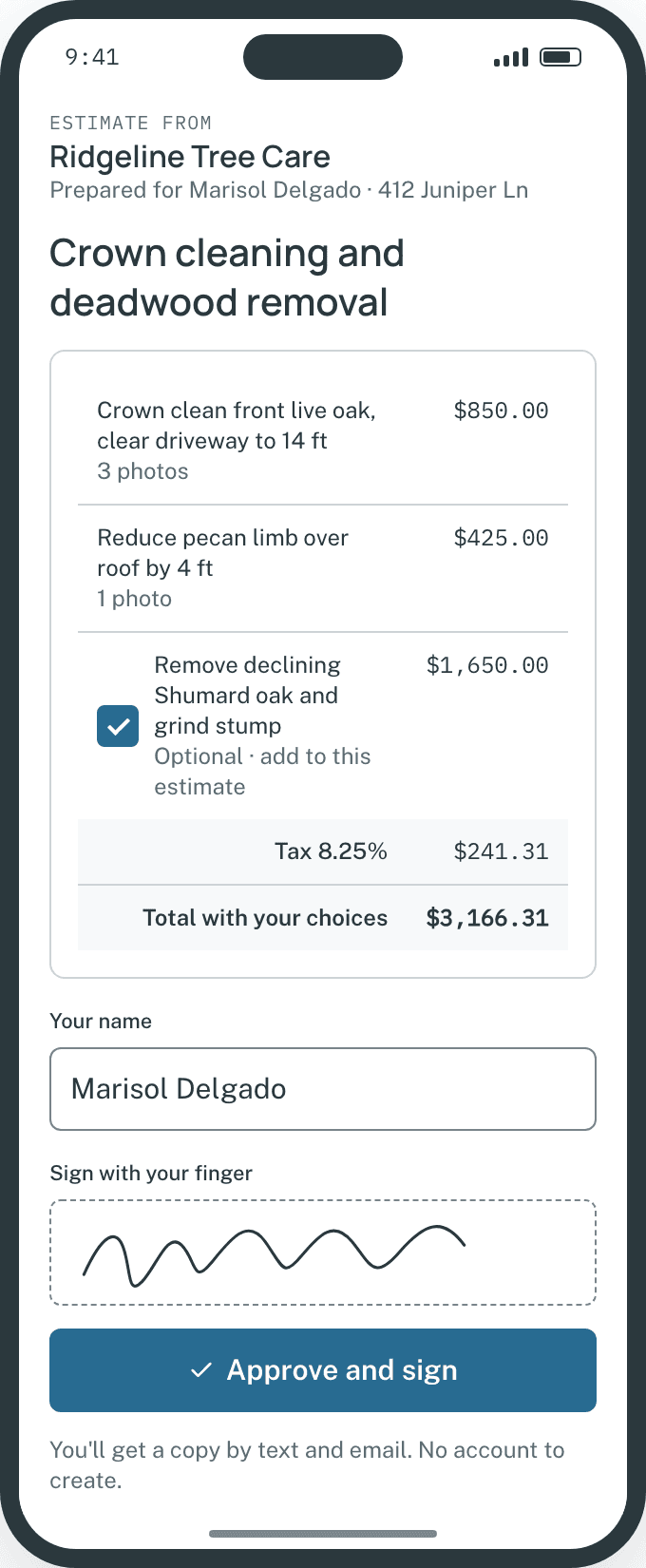
Client portal payment view on a phone.Example data - 4
Paid status syncs to your books
Payment marks the invoice paid, stops overdue reminders and syncs the invoice and payment to QuickBooks Online.
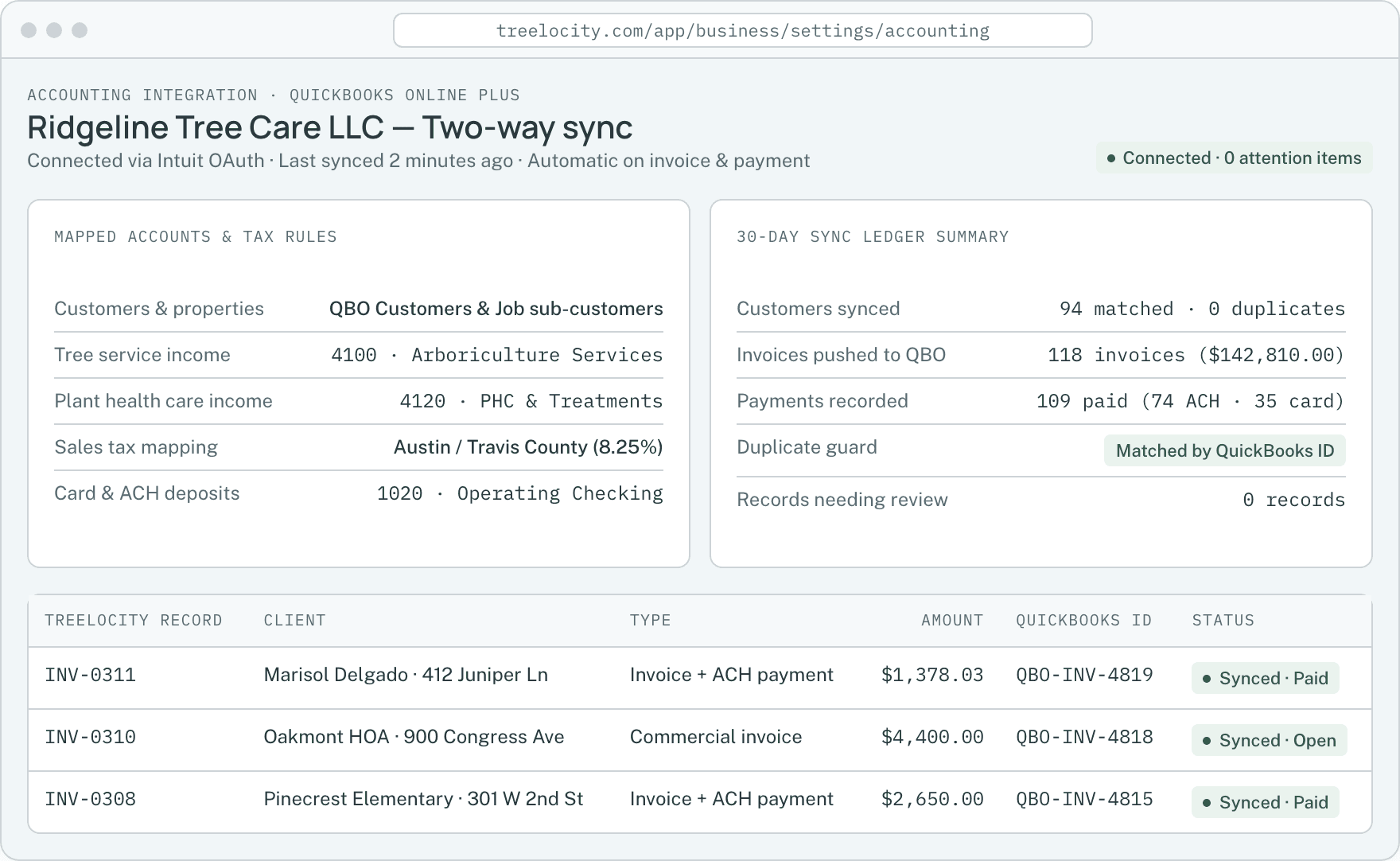
Invoice and payment synced automatically to QuickBooks Online.Example data


What you get
Built to shorten days-to-paid
Accurate totals from the signed job, published Stripe processing rates and automatic QuickBooks sync.
One-click invoice from agreed work
Prevent billing mistakes—the invoice matches the signed estimate and approved optional work.
SoloCard and $5-capped ACH payments
Accept cards at 2.9% + 30¢ or ACH bank transfers at 0.8% capped at $5 through Stripe.
SoloAutomatic overdue follow-ups
Schedule polite text and email reminders for unpaid invoices that stop the instant payment lands.
Crew
Common questions
Invoicing and payment questions
How this workflow runs day to day in the office and on the truck.
Does Treelocity add a markup on card or ACH payments?
No. You connect your own Stripe account and pay Stripe’s published processing rates (2.9% + 30¢ for cards; 0.8% capped at $5 for ACH) with zero platform fee added by Treelocity.
Can we record a check or cash payment manually?
Yes. Record a check or cash payment on the invoice in the office app and it marks the invoice paid, stops follow-ups and syncs to QuickBooks.
When do online payments reach our bank account?
Stripe deposits funds directly into your linked business bank account on your standard Stripe payout schedule—typically two business days for cards and three to four business days for ACH.
What happens if a client’s card or bank payment fails?
The invoice stays open, the failed attempt is logged on the invoice timeline, and the client can retry with another card or bank account from the same payment link.
Get started
Send your first invoice without retyping a line.
Start a 14-day trial and run a complete estimate-to-invoice flow in ten minutes.