Estimates approved from a phone, turned into jobs on their own.
Line items tied to the trees they're for. Photos of each one. Optional work the client ticks on or off with a live total. A link they open, sign and return in a minute.
In every plan. Options-based proposals, site measurements and automatic follow-ups are in Crew and above.

Estimate #E-0418 · Marisol Delgado · 412 Juniper Ln, Austin, TX
Check or uncheck the optional line items below to see how the homeowner’s total and the crew’s created job update in real time.
- Tree 04 · Shumard oak (18 in DBH)Sectional dismantle & street-side crane removalRig over parked-car lane, chip brush, haul logs and rake parkway clean.$1,650
- Tree 01 · Front live oak (28 in DBH)Crown clean & 14 ft driveway clearanceRemove deadwood 1.5 in and larger; raise lower canopy over driveway.$850
- +$280
Backfill grindings into cavity and level parkway strip.
- +$425
Reduce two overextended lateral limbs by 20% using drop-crotch cuts.
- +$540
Propiconazole 14.3% macro-infusion at 20 ml per inch DBH.
- Base tree work (2 items)
- $2,500
- Selected optional work (2 of 3)
- $705
- Pre-tax job subtotal (used for job costing)
- $3,205
- Sales tax (8.25%)
- $264.41
- Total signed by client
- $3,469.41
- 25% deposit due on approval
- $867.35
- Stripe ACH bank transfer fee
- $5.00 cap
- Locked pre-tax revenue of $3,205 on the job costing ledger.
- Tree 04 removal & Tree 01 crown clean assigned to Crew A with map pins and photos.
- Adds Vermeer SC60TX stump grinder to visit.
- Adds Tree 03 to climber work order (+1.5 crew hrs).
How it works
From the truck to a signed job in four steps
- 1
Build it on site, on the phone
Pick the tree from the property's inventory, describe the work, set the price, attach photos. Mark anything the client can decide on as optional. It saves to the phone first, so a dead spot in the back yard does not matter.
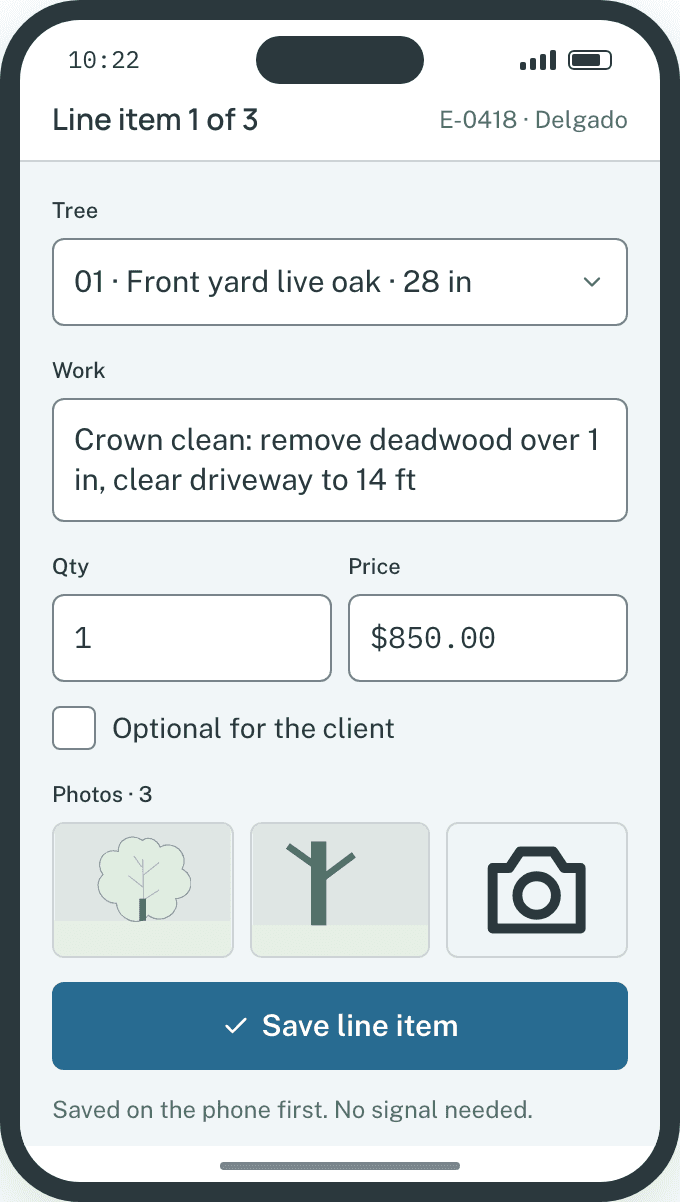
Adding a line item in the crew app.Example data - 2
Send it by text or email
One tap sends a link from your company's verified number and email. Delivery and opens are logged on the client's thread, and the client can reply by text to ask a question before they decide.
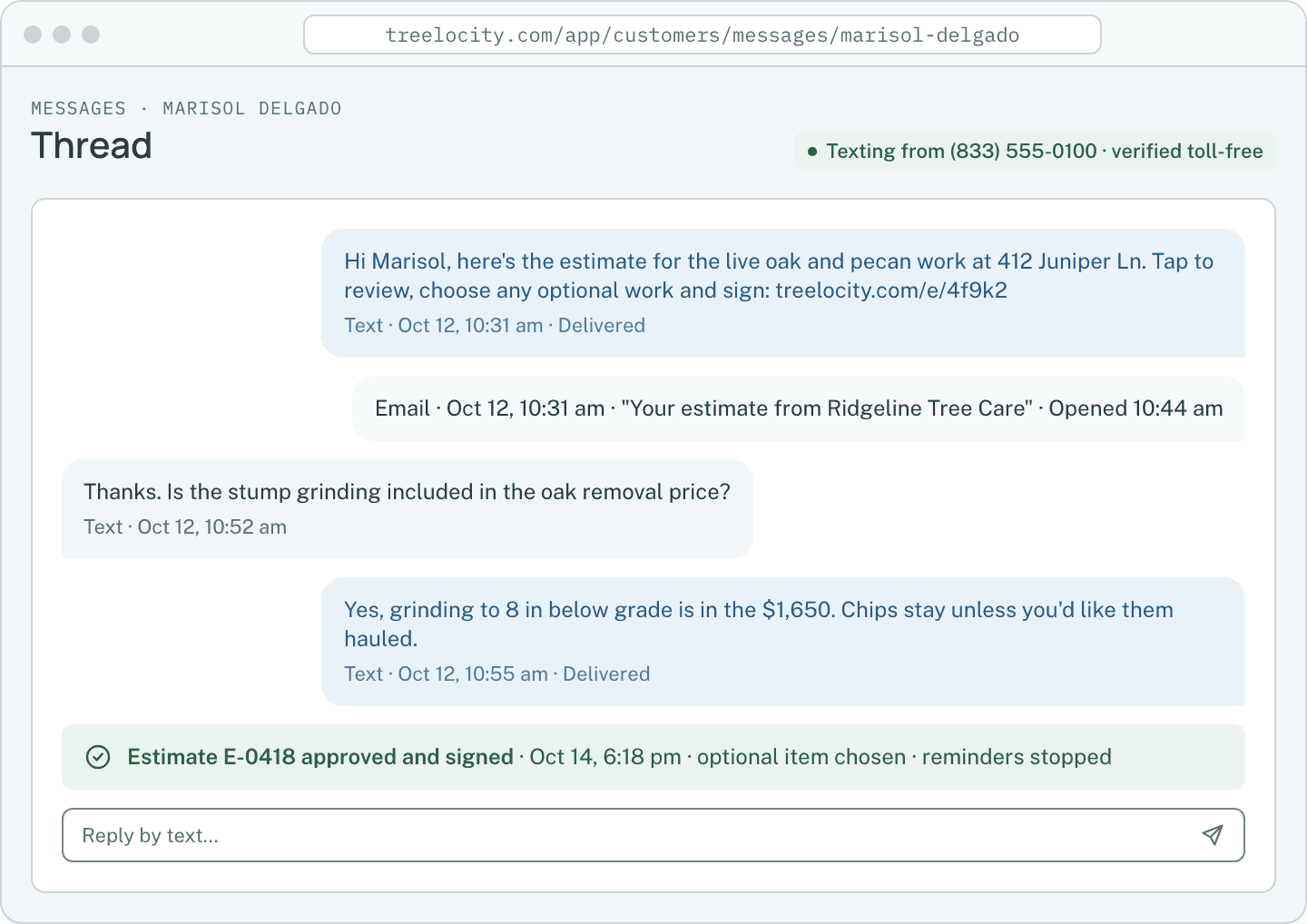
The client thread: estimate sent, a question answered, approval logged.Example data - 3
The client chooses, signs and approves
No account, no PDF to print. Optional work is a checkbox with the total updating as they choose. They type their name, sign with a finger and approve. They get a copy; you get a notification.
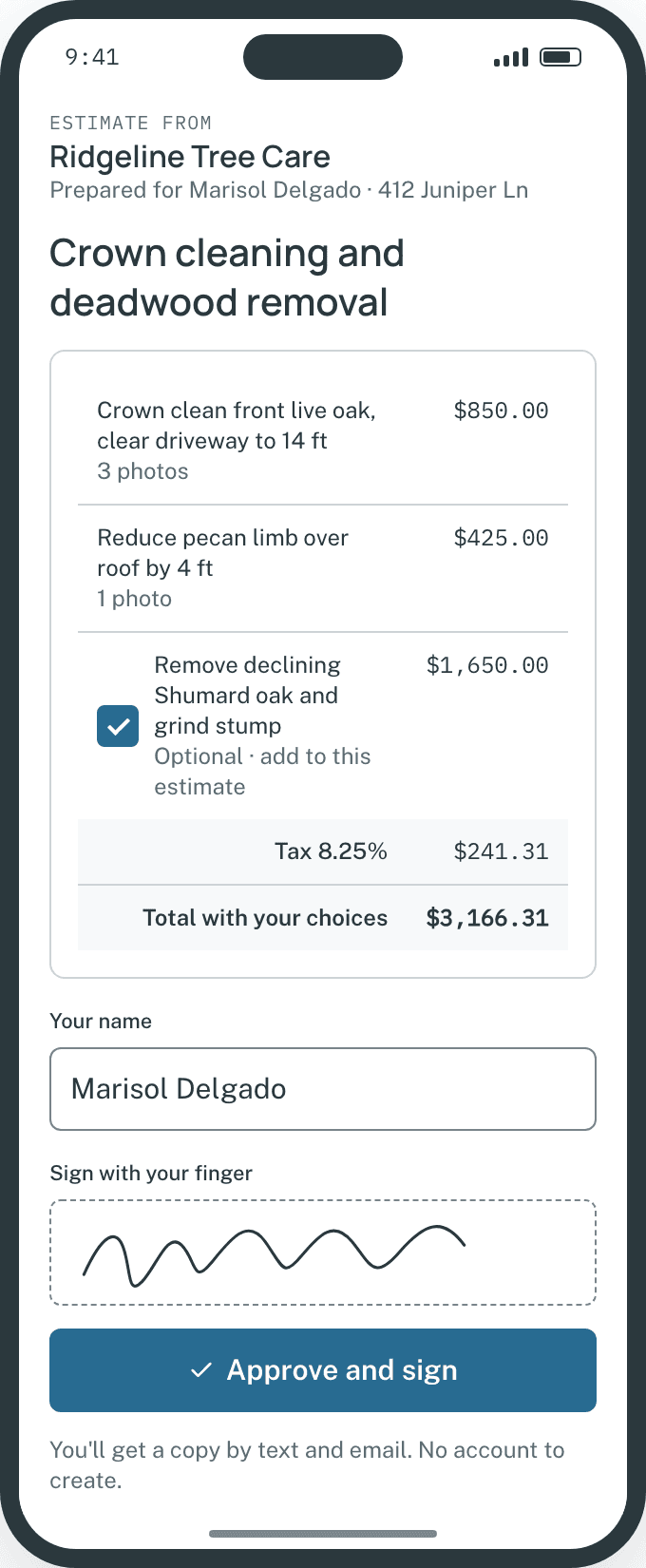
The client's approval page with the optional item chosen.Example data - 4
The job is created for you
Approval creates the job with the chosen scope, the agreed price and the signed PDF attached. Reminders stop. Schedule the visit onto a day and a crew, and the invoice later comes from that same job.
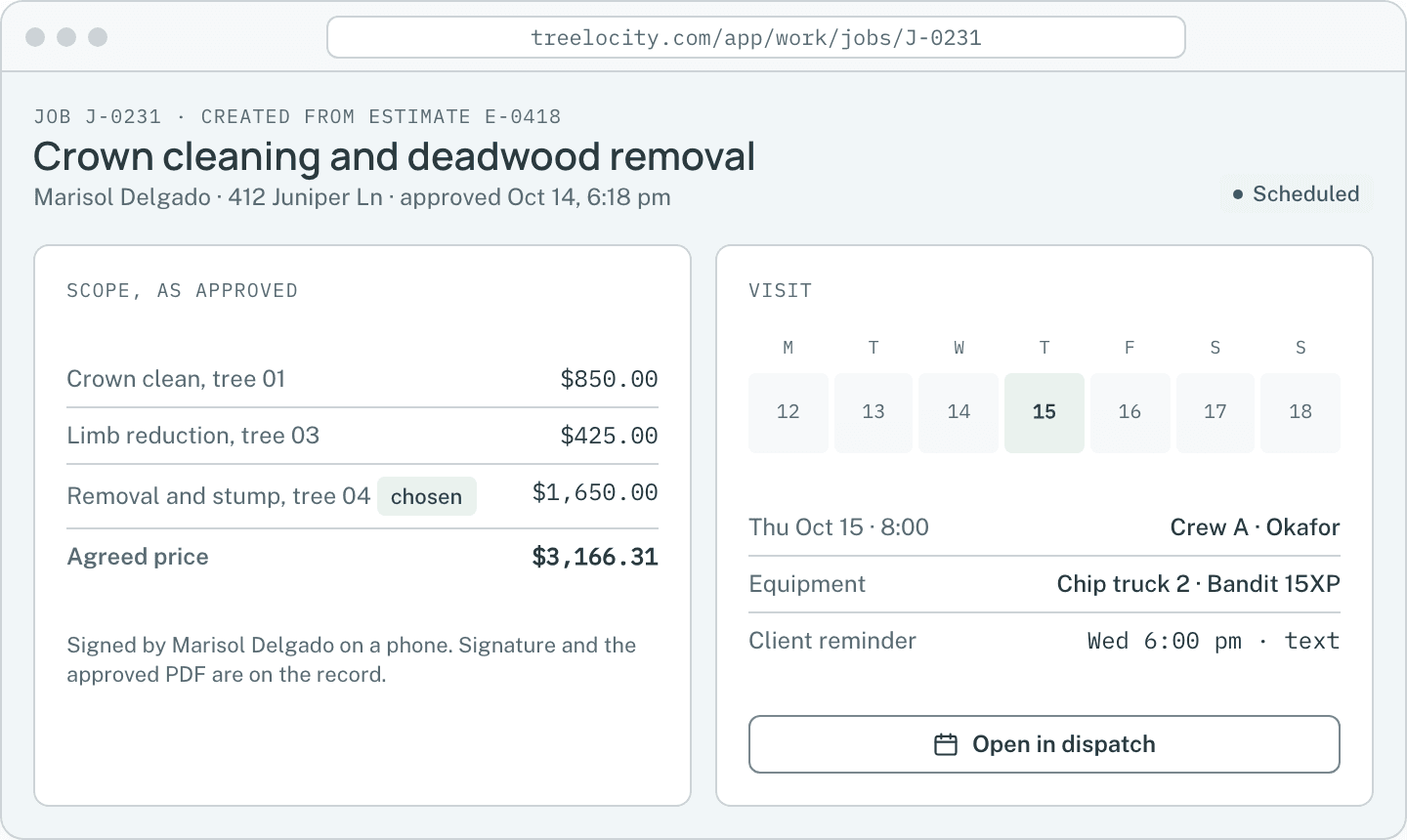
The job record created from the approved estimate.Example data


What you get
What changes when estimates are tied to the property
Every proposal goes out with clear tree photos, optional add-ons the client can choose on their phone, and automatic handoff to the job.
Photos and line items in the client's hands in one send
An estimate with photos and line items is texted or emailed from the record. No export, no attachment to find.
SoloApproval and signature on a phone
The client opens the link, approves and signs on their phone. The signed document and timestamp stay on the estimate.
SoloApproval creates the job automatically
No retyping. The job carries the scope and price, and the visit, timesheets and invoice all hang off it.
SoloOptional work with a live total
Items marked optional show as checkboxes for the client. The total updates as they choose, and chosen items flow to the job.
CrewMeasurements saved to the estimate
Draw areas and distances on aerial imagery and attach them to the line items they price.
CrewFollow-ups you set once
Unapproved estimates get reminder texts or emails on a schedule you choose, stoppable per client, and they stop on approval.
Crew
Common questions
Estimate questions
How this workflow runs day to day in the office and on the truck.
Can the client approve without creating an account?
Yes. The link is the access. It shows the estimate, lets them choose optional work, sign and approve, and later shows their invoices, payments and tree inventory in the same portal.
What if the client wants to change the scope?
They reply by text on the same thread. You edit the estimate and resend; the previous version stays on the record. Once approved, changes go on a new estimate or a change to the job, never silently.
Does tax apply per line or per estimate?
A tax rate is set on the estimate and applied to the taxable total. Totals are calculated on the server, so the number the client signs is the number on the job and the invoice.
Can I build estimates with no signal?
Yes. Line items and photos save on the phone and send when the app is opened with signal. Sending the estimate to the client needs a connection, and the app tells you when it has gone.
Get started
Build one estimate and send it to yourself.
The trial is the real product with your own data. Add a client, drop a pin on a tree, price the work and approve it from your phone to see the job appear.