Keep clients, invoices and payments synced with QuickBooks Online.
Connect QuickBooks Online once. New clients, invoices and card or ACH payments sync without duplicates, and the accounting workbench shows every sync record.
QuickBooks Online two-way sync is included in every plan, starting with Solo.

How it works
How QuickBooks sync stays clean
- 1
Authorize QuickBooks Online in Settings
Connect your QuickBooks Online company in a few clicks; credentials stay encrypted and refresh automatically.
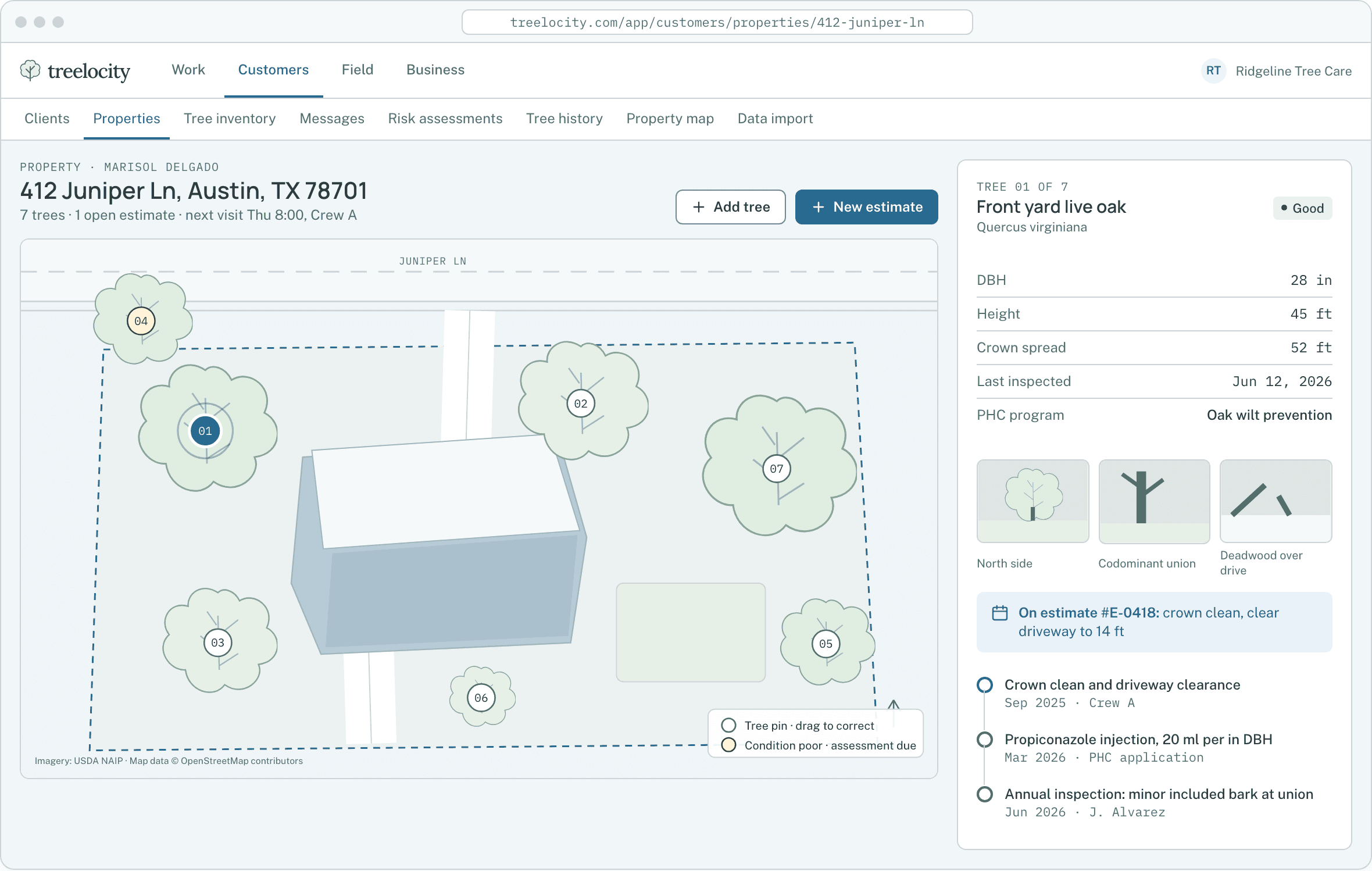
Clear sync status across the office workspace.Example data - 2
Match existing customers without duplicates
Automatic customer matching links existing QuickBooks clients and invoices cleanly so nothing is duplicated.
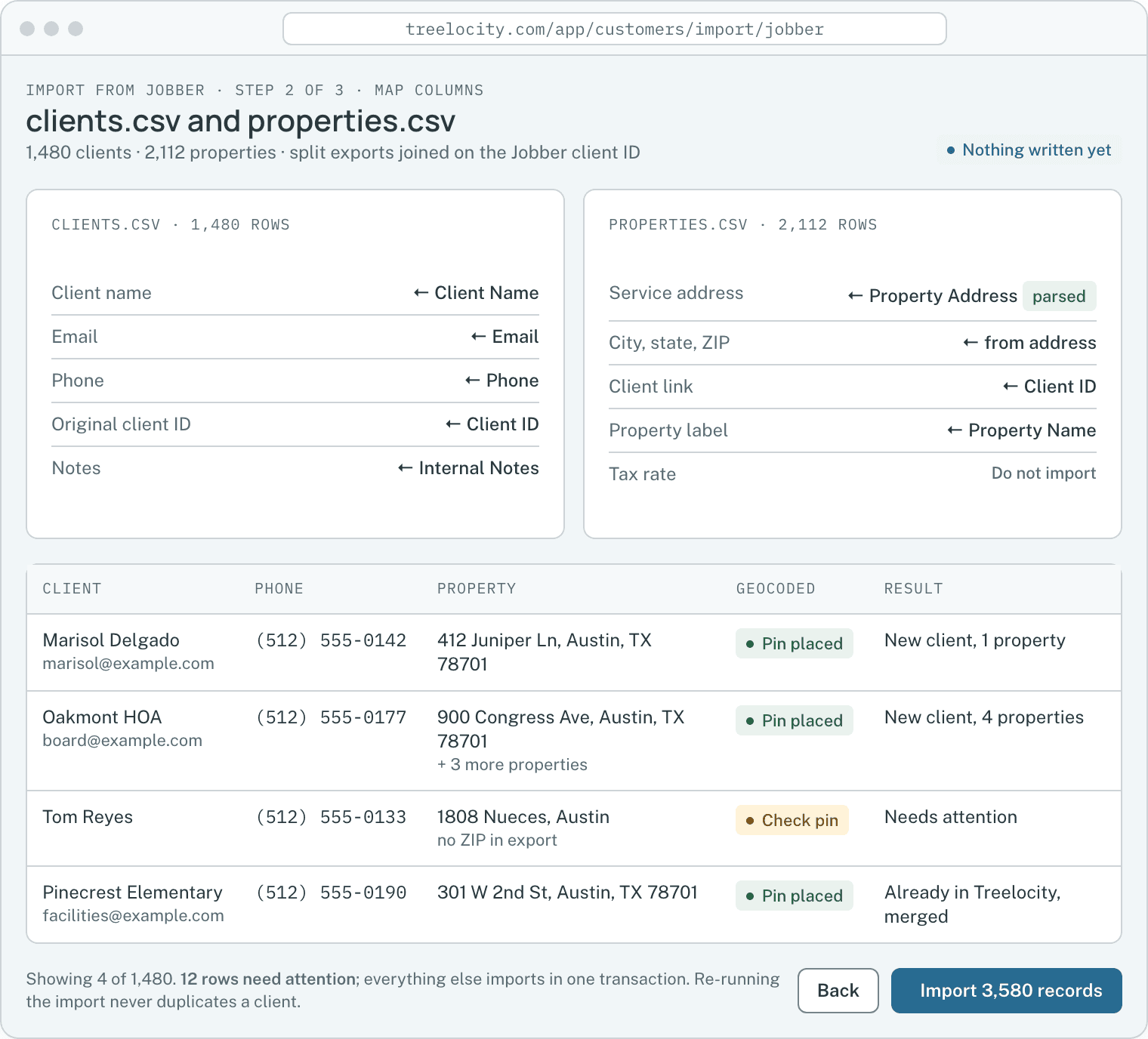
Clean customer matching with zero duplicate records.Example data - 3
Sync invoices, sales tax and payments
When an invoice is issued or paid by card or ACH, the line items, tax amount and payment status sync to QuickBooks.
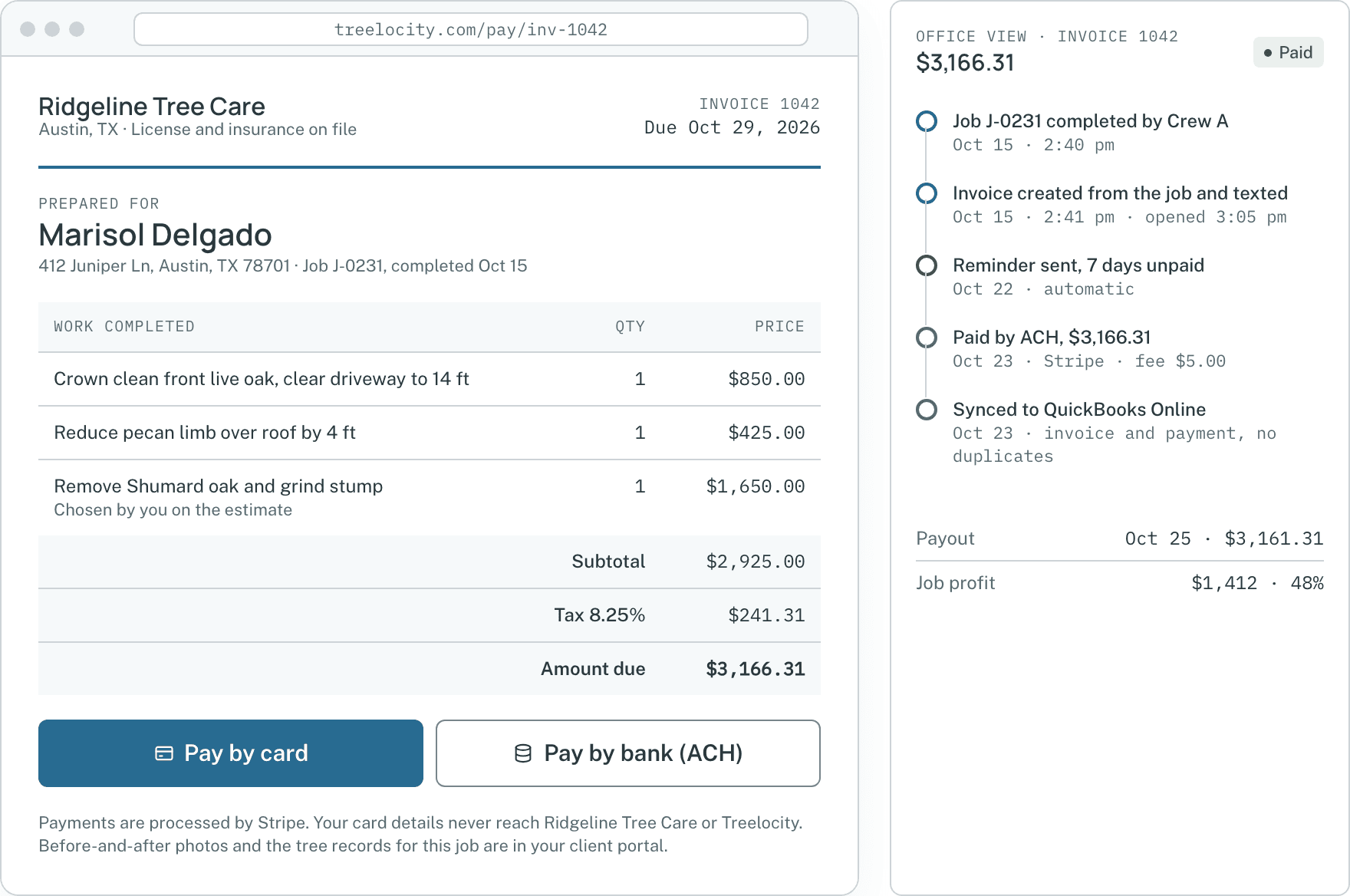
Approved totals flow cleanly from job to invoice to QuickBooks.Example data - 4
Inspect and retry from the accounting workbench
If a sync item needs review—such as an unmapped tax code or disconnected account—the workbench shows the exact reason and lets you retry cleanly.
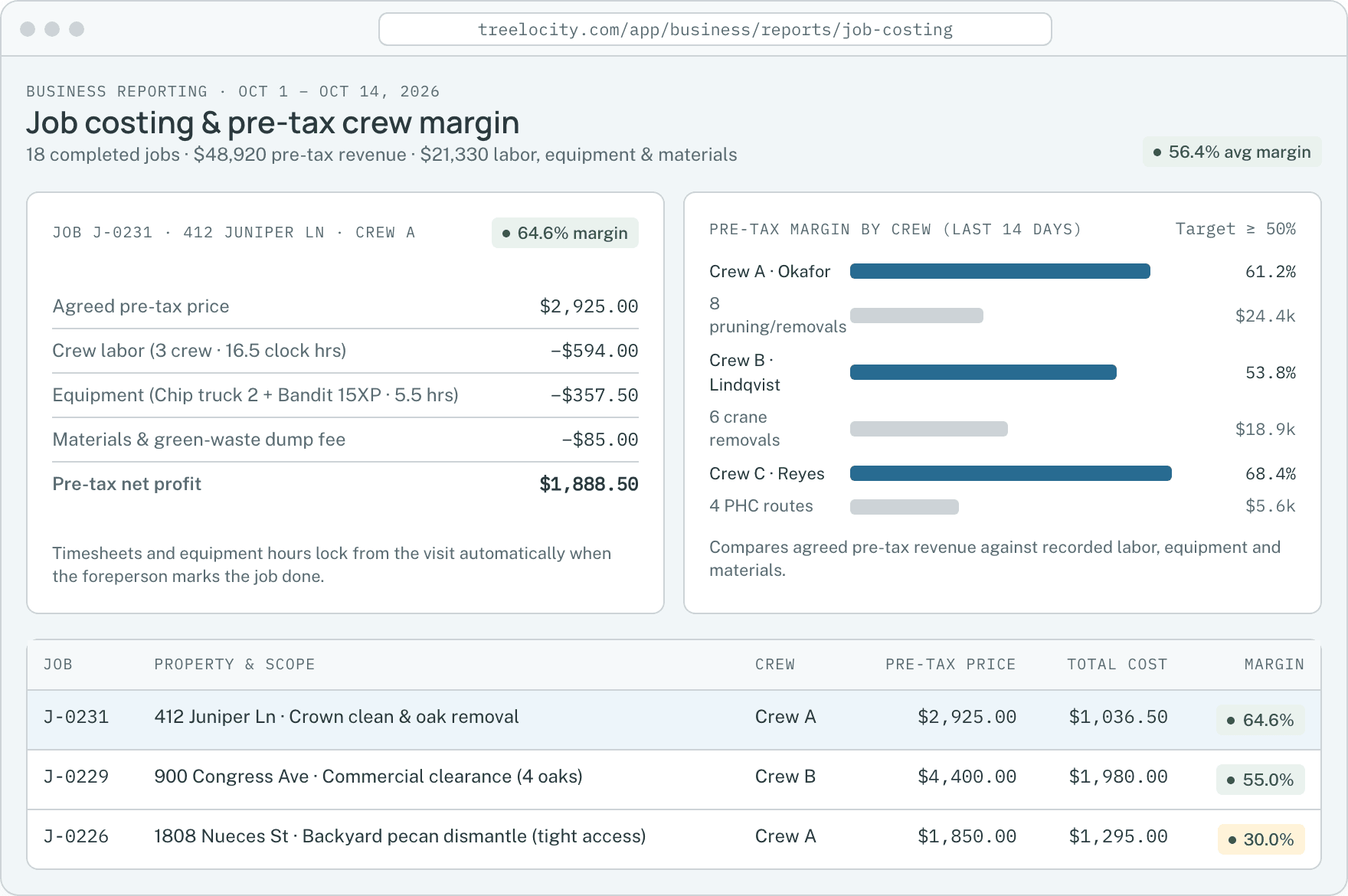
Pre-tax job revenue and costing kept aligned with your books.Example data


What you get
Built so your bookkeeper trusts the sync
Clear sync status instead of silent failures or duplicate customers.
Included in every tier
We do not gate accounting sync behind a high tier—Solo ($99/month) includes QuickBooks Online.
SoloAutomatic retry queue with zero duplicates
Every sync event is tracked as prepared, synced or needs-attention, so network blips never double-post an invoice.
SoloExact sales tax and line-item totals
The exact tax rate and taxable total signed by the customer flow to the invoice and QuickBooks.
Solo
Common questions
QuickBooks Online questions
How this workflow runs day to day in the office and on the truck.
Does Treelocity charge extra for QuickBooks Online sync?
No. QuickBooks Online sync is included in Solo ($99/month), Crew ($199/month) and Established ($349/month).
What happens if our QuickBooks connection expires?
Pending invoices and payments wait safely in the sync queue and the accounting workbench prompts you to reconnect and sync them without losing a single record.
Will connecting QuickBooks create duplicate customers?
No. Treelocity matches existing QuickBooks customer records before creating new ones and remembers the link for all future invoices and payments.
Do offline check and cash payments sync to QuickBooks too?
Yes. Whether an invoice is paid online via Stripe card or ACH or logged in the office as a check or cash payment, the payment status syncs to QuickBooks Online.
Get started
Stop typing invoices into QuickBooks twice.
Start a 14-day trial and connect QuickBooks Online from day one.